Futurion Solutions
· Ivan Skachkov · GDPR & Compliance · 9 min read
When Excel Stops Being Enough for IT Compliance
A customer's ISMS had grown to about 1,660 files in SharePoint. Here is why spreadsheets stop working for IT compliance, and how a self-hosted GRC platform turned it into a live system.

Many companies start their IT compliance work in the same way: a few Excel files, some Word documents and a shared folder.
At first, this works.
You can keep a risk register in Excel. Policies can live in Word. Audit evidence can be stored in folders. Someone can keep track of reviews and deadlines in a calendar.
The problem starts when the company grows, more people get involved, and the number of documents increases.
One of our customers came to us in almost exactly this situation.
Their complete Information Security Management System (ISMS) was spread across SharePoint files: policies, risk registers, audit documents, evidence, supplier information and management-review material.
Their compliance system had grown to around 1,660 files.
There were duplicate documents, different ways of naming versions, outdated files mixed with current ones, and spreadsheets that no longer worked correctly.
For example:
259 files were exact duplicates
more than five different versioning styles were being used
117 risk calculations were broken
27 security controls had no owner, no recurring task and no dated evidence
preparing the yearly management review meant collecting information manually from about eight different files
And there was an additional problem.
The person responsible for GRC had left the company.
None of this happened because people were careless.
It happened because Excel, Word and shared folders were being asked to do a job they were never designed to do.
The real problem with spreadsheets
A spreadsheet can store information, but it does not manage the process around that information.
I believe all of you familiar with a security control that says employee access must be reviewed every three months.
How does it look in Excel and folders, someone has to remember:
- when the review is due,
- who should do it,
- where the evidence should be saved,
- which control the evidence belongs to,
- when that evidence becomes outdated.
If that person forgets, what would happen?
The spreadsheet does not send a reminder. The folder does not tell you the evidence is expired. The control does not automatically show that something is missing.
The same problem appears everywhere: risk reviews, supplier checks, policy updates, internal audits and management reviews.
Over time, the compliance system becomes impossible to trust.
You may have all the documents, but answering a simple question such as “Is this control actually working today?” can take hours.
What changes with a real GRC platform
A GRC platform turns IT compliance from a collection of files into a connected system.
A risk can be linked directly to the security controls that reduce it.
A control can have an owner, a review date and the evidence that proves it is working.
Evidence can expire automatically.
Recurring work can create tasks on schedule.
Audit findings can have owners and deadlines.
Instead of searching through folders, you can see the current state in one place.
That is the difference between storing compliance documents and actually running an IT compliance process.
This is exactly where our customer was
Compliance system depended heavily on one person’s knowledge, losing that person not just created a staffing problem. It exposes how much of the process was never really inside the system in the first place.
Which file is current?
Which controls need evidence this month?
Which risks still need treatment?
Which supplier review is overdue?
What needs to be prepared for the next audit?
The answers may exist somewhere in SharePoint, but somebody still has to know where to look.
Why not just buy Vanta or Drata?
Our first suggestion was simple: why not subscribe to a well-known compliance platform such as Vanta or Drata?
For many companies, that can be a perfectly reasonable option.
But this customer was not a recently funded startup looking for another SaaS subscription to add to the stack. It was an established company that paid close attention to operating costs and wanted to understand what it was actually paying for.
The requirement was also broader than simply getting through an audit.
The customer really wanted a system they could control, where the compliance data could stay on infrastructure under their control, and where the existing ISO 27001 work could be migrated instead of rebuilt from zero.
That is when we suggested CISO Assistant.
The customer was already working with ISO 27001 and GDPR, but the roadmap did not stop there. They also needed to prepare for ENS certification in Spain and EU AI Act.
That combination changed the platform decision.
When we reviewed the usual SaaS options, Vanta and Drata covered much of the international and EU compliance stack, but ENS was the gap. For this customer, that was not a theoretical nice-to-have. It was part of the planned certification roadmap.
CISO Assistant supported the full set we wanted to manage in one place:
That meant the customer could build one compliance system and reuse the same risks, controls, evidence and owners across several frameworks, instead of creating a separate process every time a new certification or regulatory requirement was added.
For a company planning ENS certification, this was one of the clearest reasons to choose CISO Assistant over the alternatives we reviewed.
What is CISO Assistant?
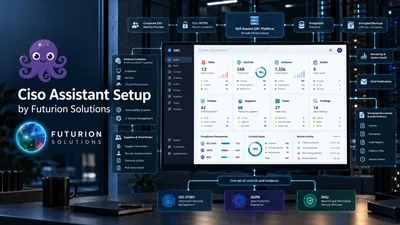
CISO Assistant is a GRC platform designed to manage areas such as risks, security controls, audits, evidence, policies, suppliers, findings and privacy work in one connected system.
In practical terms, it replaces many of the separate spreadsheets and folders with structured records that are linked to each other.
Instead of writing a control in one spreadsheet and storing its evidence somewhere else, the control and its evidence connected directly.
Instead of keeping a separate list of risks and trying to remember which security measures reduce them, the relationships stored in the platform.
CISO Assistant can be used as a hosted subscription or deployed as a self-hosted platform. For this customer, the self-hosted option was particularly interesting because it gave them data residency control.
We proposed starting with a proof of concept, we do that free of charge for all our potencial customers.
The point was not to demonstrate a nice dashboard. It was to answer a more important question:
Can this actually replace the way the company runs ISO 27001 today?
The answer was yes.
From proof of concept to a real compliance portal
After the POC, the platform was implemented as the customer’s working GRC portal.
The existing compliance information was reorganized and migrated into structured objects rather than simply uploading the same old folders into a new system.
The implementation covered the main parts of the customer’s ISO 27001 and GDPR work, including:
risks and risk treatment
ISO 27001 controls and the Statement of Applicability
policies
recurring security and compliance tasks
audit evidence
findings and nonconformities
supplier and third-party reviews
GDPR-related records
internal-audit work
management-review preparation
The goal was not only to move information.
It was to move the process.
For example, recurring obligations became scheduled tasks with owners. Evidence received validity dates and revision history. Risks were linked to the controls used to reduce them. Findings received owners and target dates. Supplier reviews moved from static spreadsheets into structured records with review cycles.
Parts of the evidence collection were also automated.
Instead of asking somebody to manually export the same information every month, workflows could collect or check information from systems already used by the company. This included areas such as Microsoft identity and device management, source control and other security tools.
Where a check could be automated, the system could detect when something no longer matched the expected state and create a visible issue instead of leaving the problem hidden until the next audit.
The portal was also integrated with the customer’s Single Sign-On (SSO) environment, so employees could use their existing corporate identity rather than managing another independent set of usernames and passwords.
What changed in practice
The biggest change was not that the customer had fewer files.
The biggest change was that IT compliance stopped being managed through spreadsheets and folders and started being operated as a live system.
Policies became manageable
Policies were moved into a proper lifecycle instead of being kept as separate Word files with different naming conventions.
Each policy could have an owner, a version, a review date and an approval status. That made it much easier to answer basic questions such as:
- Which policy is current?
- Who owns it?
- When does it need to be reviewed?
- Has it actually been approved?
Evidence collection became a process
Before, evidence was collected manually and stored in folders. The same files were often copied into different audit folders, which created duplicates and made it difficult to know which version was the correct one.
After the migration, evidence became linked directly to the controls it supported.
Evidence could have an owner, an expiry date and a revision history. Recurring evidence could be renewed as a new revision instead of creating another copy of the same document.
This removed a large part of the manual work around preparing for audits.
Audit management became structured
Audit work also moved out of spreadsheets and Word files.
Controls, findings, evidence and remediation work could be connected inside the same system.
Instead of preparing an audit by searching through SharePoint folders, the customer could see which controls had evidence, which findings were still open and which items required attention.
The main achievement: automated controls
The most important improvement was control automation.
A large part of the compliance work was no longer based on someone manually checking a spreadsheet once a month.
The system was connected to the tools the customer was already using and could automatically collect data or verify whether important controls were still working.
Examples included:
Microsoft 365 account compliance
checking identity-related settings and account status
device compliance
checking managed devices and whether they met the expected security configuration
GitHub compliance
checking repository and branch-protection settings
Snyk compliance
checking software-security findings and whether issues exceeded the expected remediation period
HostedScan compliance
tracking vulnerability-scanning results
personnel training controls
checking whether required security training had been completed
This changed the compliance model completely.
If everything matched the expected state, the control continued to show that the requirement was being met.
If the system found a discrepancy, it could flag the issue, create a finding and notify the person responsible for that system or control.
That meant compliance problems could be detected when they happened, not several months later while preparing for an audit.
For example, if a device was no longer compliant, a GitHub protection rule was changed, a security issue remained open for too long, or a required training course had not been completed, the responsible person could be notified.
No more compliance hell built on spreadsheets, copied files, and endless calendar reminders.
That was the real improvement.
No more running the compliance programme through a collection of spreadsheets, copied files and personal reminders.
The goal was never to “replace Excel because Excel is bad.”
Excel is useful. Word is useful. SharePoint is useful.
But once IT compliance becomes an ongoing business process, files alone are not enough.
You need ownership, deadlines, relationships, history, reminders and a clear view of what is complete and what still needs attention.
That is when a real GRC platform starts to make sense.
And for companies that want more control over cost, infrastructure and sensitive compliance data, a self-hosted option can be a very practical alternative to another large SaaS subscription.
See how to build the IT compliance system inside CISO Assistant → Article 2.